Stop pasting screenshots
one. by. one.
Stik stacks your shots in the side panel and drops the whole set — in order — with a single ⌘V. A quiet darkroom for your screenshots.
Works on Chrome & Brave · Free plan, no account needed
Don't imagine it. Use it.
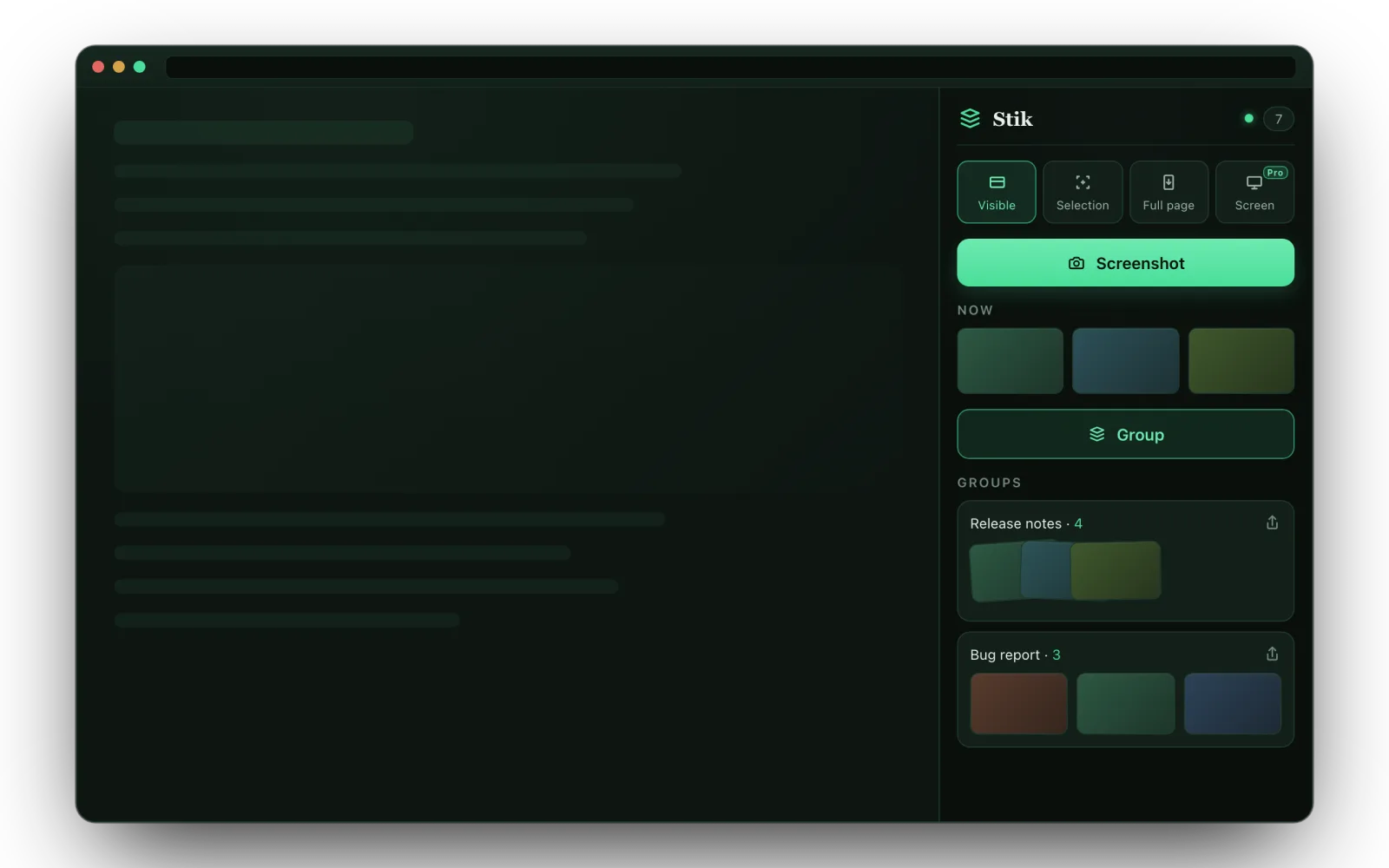
This is the actual Stik flow, running right here — capture the sample page, bundle shots into a group, annotate, share. No install, nothing uploaded.
Follow the numbered steps in the panel: 1 Screenshot · 2 Group · 3 Share → Copy — then open the 𝕏 tab and paste with ⌘V. Click any thumbnail to open the annotation editor.
Three actions. Nothing to learn.
Capture
One click drops the current view into the NOW tray. Switch between visible area, a dragged selection, full page, or the entire screen.
Group
Hit Group to bundle everything in NOW into one named set. Drag thumbnails between groups or reorder them — mouse or keyboard.
Share
Press Share, choose Copy — then paste every image at once into Slack, Notion, or X. No file dialog, no one-by-one drag.
One paste. Many images.
You know the drill: eight screenshots for one bug report, dragged into Slack one at a time — upload, wait, repeat — and they still land out of order.
Stik ends that. Copy a bundle and every screenshot hits your clipboard as a real file — not one flattened image, not a link. A single ⌘V drops all eight, in order, right where you're typing.
It's the thing a normal “copy image” can't do. Stik uses the browser's native share path to get there — no uploads, no accounts.
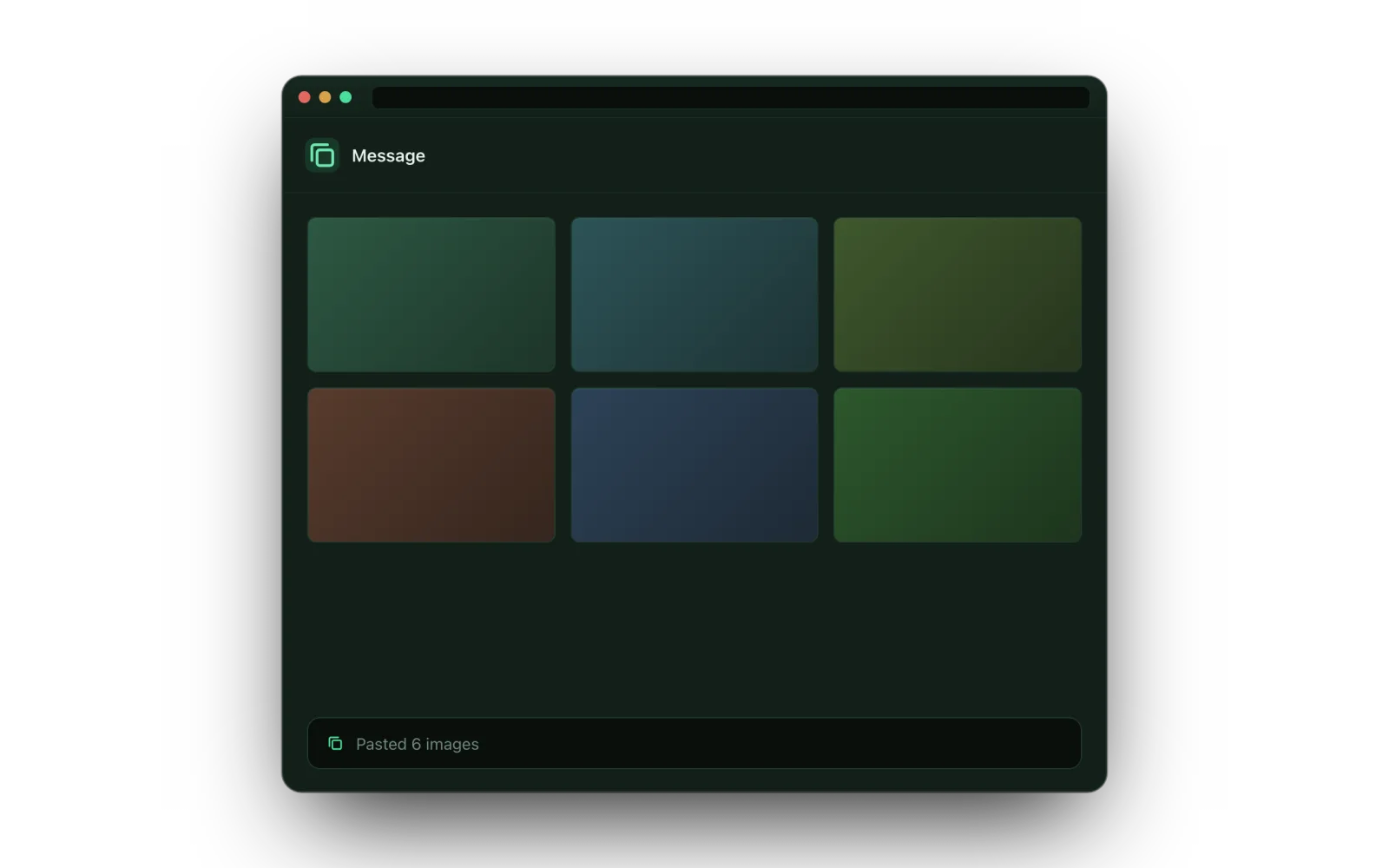
The test: paste 6 screenshots into Slack.
| Right-click “Copy image” | Other screenshot extensions | Stik | |
|---|---|---|---|
| Paste 6 shots with one ⌘V | ✗ one at a time | ✗ one file at a time | ✓ all 6, in order |
| Shots stay grouped by task | ✗ holds only one | ✗ a flat camera roll | ✓ named bundles |
| Annotate before sharing | ✗ | ✓ some do | ✓ arrows, text, blur |
| Full-page capture | ✗ | ✓ some do | ✓ free |
| No uploads, no account | ✓ | ✗ many push cloud links | ✓ stays on your device |
Grab exactly what you mean.
Visible area
The active tab's viewport in one click. No permission prompt.
Selection
Drag a rectangle, ⌘⇧4-style, and crop to just that region.
Full page
Scrolls and stitches the whole page into one tall shot.
Entire screen PRO
Capture any window or app — the only mode that reaches beyond the browser.
Annotate before
you share.
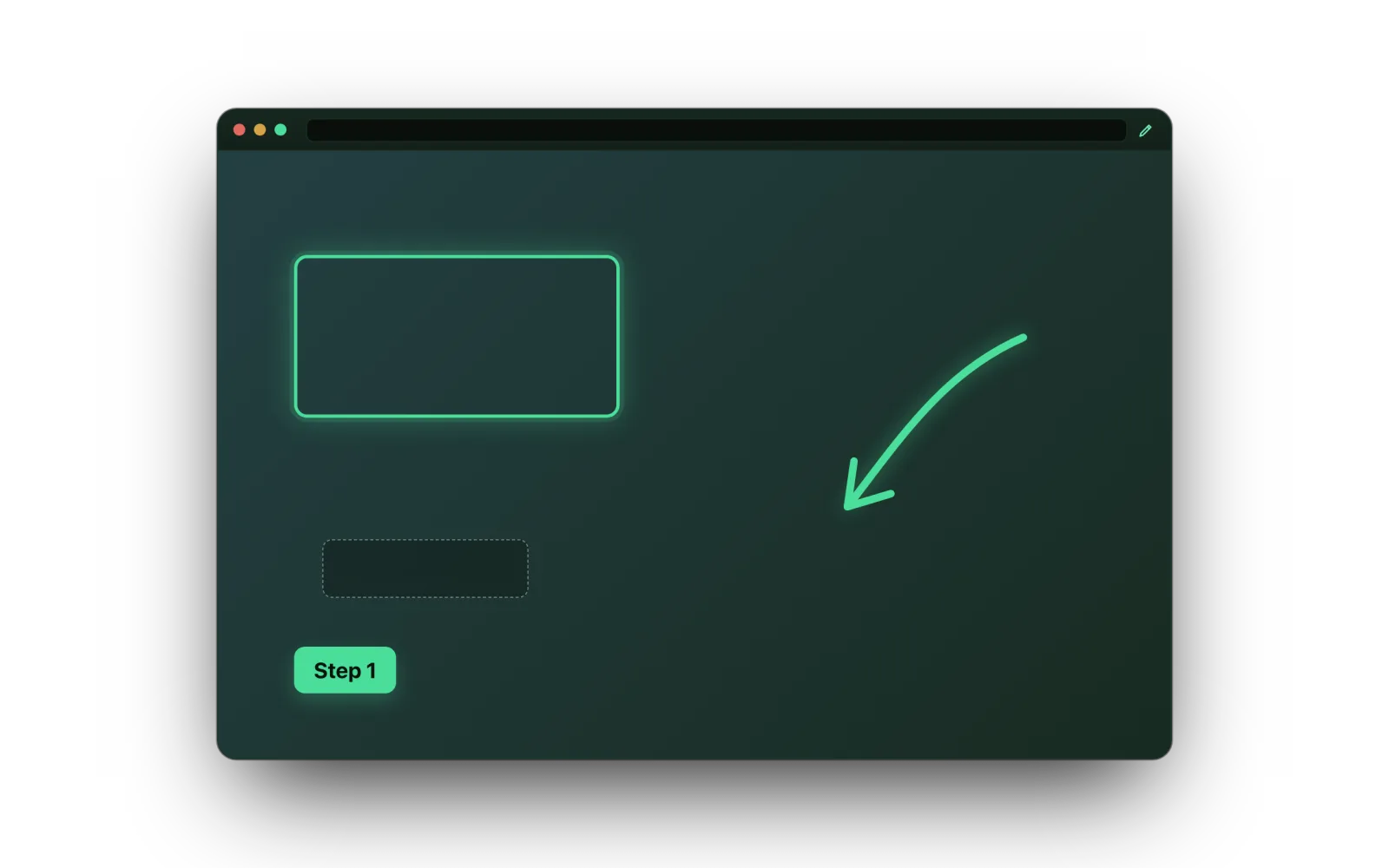
A built-in editor opens any shot. Drop arrows, text, callouts and freehand pen marks — all free.
Pro adds shapes, blur & redaction, and re-editable layers you can come back and change later.
Free to use. Pro when you need more.
Capturing, sharing and core annotation are free — including full-page. Pro adds full-screen capture and the advanced editing tools.
- Visible, Selection & Full-page capture
- Group shots, then drag & reorder
- One-paste multi-image share
- Annotate: arrows, text, callouts & pen
- Export as PNG files
- Everything in Free
- Entire-screen capture
- Blur & redaction
- Shapes — rectangle, ellipse, line
- Re-editable layers
Cloud sync is on the roadmap.
Private by design.
Stays on your device
Screenshots and groups live in your browser's local storage. Nothing is uploaded to our servers — there are none in the capture path.
No account needed
The free plan needs no sign-up. Pro activation talks only to the payment provider over HTTPS — your images never leave the device.
Honest permissions
Built on Manifest V3 with a strict content-security policy. Syncing to Google's servers is deliberately turned off.
The problems Stik was built for.
Every method, including the ones that don't need Stik.
Combine screenshots into one PDF
Drop your shots and download a single PDF — built in your browser, nothing uploaded.
Open the tool →Paste multiple images into Slack
Why Slack takes your screenshots one at a time, and the three ways to send all of them in one message.
Read the guide →Full-page screenshot in Chrome
Capture a whole scrolling page — with DevTools, with print-to-PDF, or with one click.
Read the guide →Multiple screenshots into Notion
Get a set of shots into a Notion page in order, without uploading them one file at a time.
Read the guide →Good questions.
Which browsers does Stik support?
Stik runs on Chromium browsers with a side panel — Chrome 116+ and Brave are the primary targets. Edge should work too. Safari isn't supported (its Web Share behaves differently).
How does pasting many images at once work?
When you copy a group, Stik uses the browser's native share path to place each screenshot on your clipboard as a file. Apps like Slack, Notion, and X then accept all of them in a single paste — something a regular “copy image” can't do.
Where are my screenshots stored?
Entirely in your browser's local storage on this device. They aren't sent anywhere, and signing out wipes them. If a target app can't accept a paste, you can export the group as PNG files instead.
What do I get with Stik Pro?
Core annotation (arrows, text, callouts, pen) is free. Pro adds entire-screen capture, blur & redaction, shapes, and re-editable layers — $6.99/month or $39/year ($3.25/mo). Cloud sync is planned.
Do I need an account to use it?
No. The free plan works immediately with no sign-up. Only Pro requires a license, activated through the payment provider.
Stop juggling screenshots.
Capture, bundle, and paste them all in one move.
Add Stik to Chrome — Free